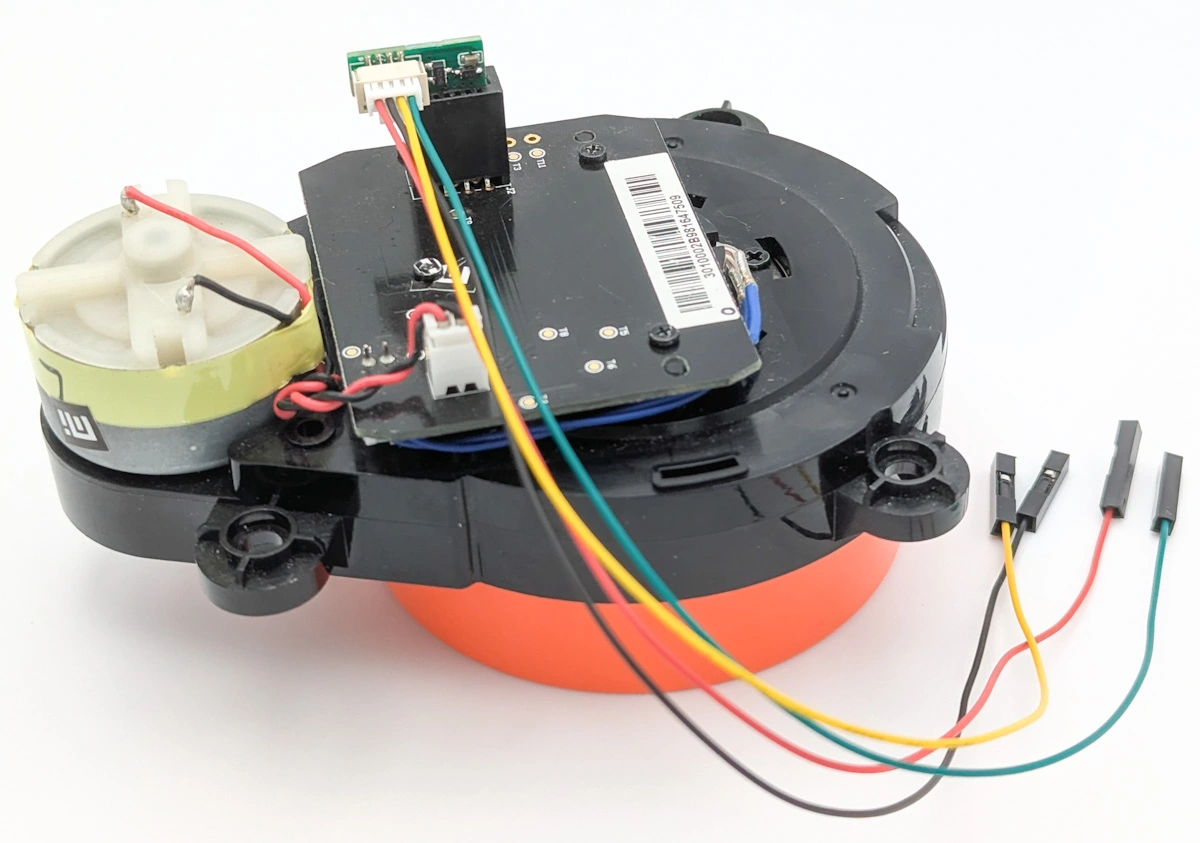
How-to: Connect Xiaomi $15 LDS02RR LiDAR to ESP32, Arduino

Here is a DIY project I’d like to share. I’ve designed an adapter PCB to connect my LDS02RR Lidar to ESP32. I also wrote Arduino firmware to stream distance data live from LDS02RR – as well as many other low-cost 2D Lidar models. Lastly, I’ve had the adapter PCB manufactured and made it available at my online DIY robotics store.
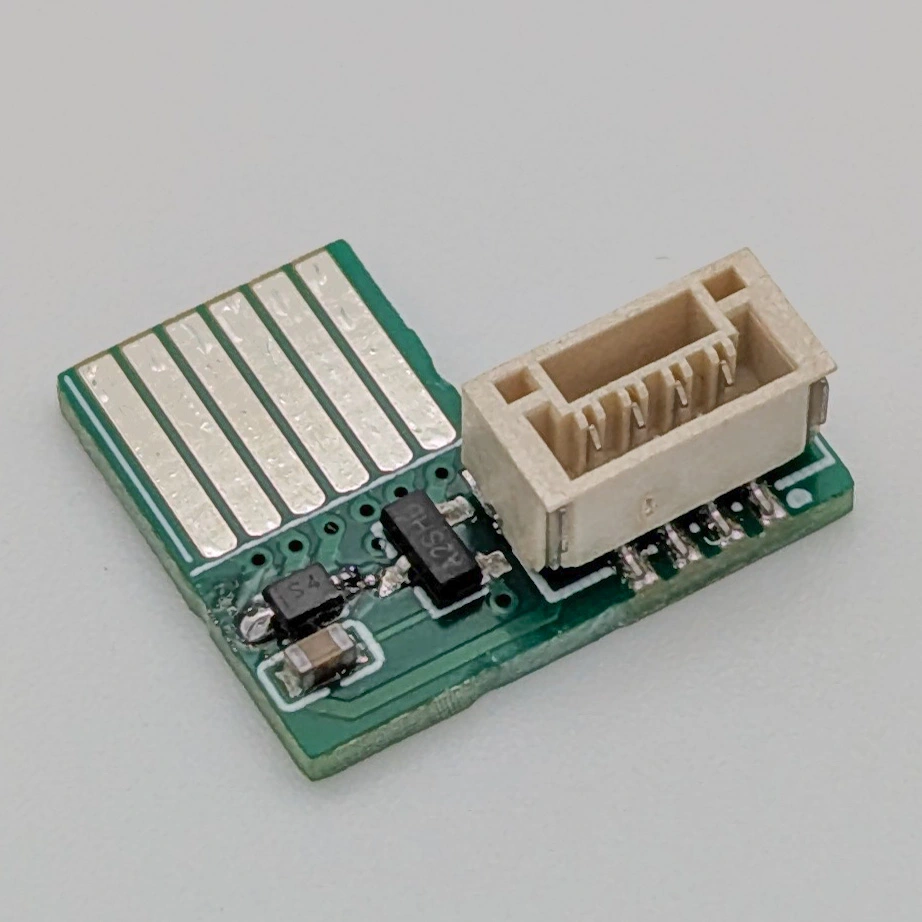
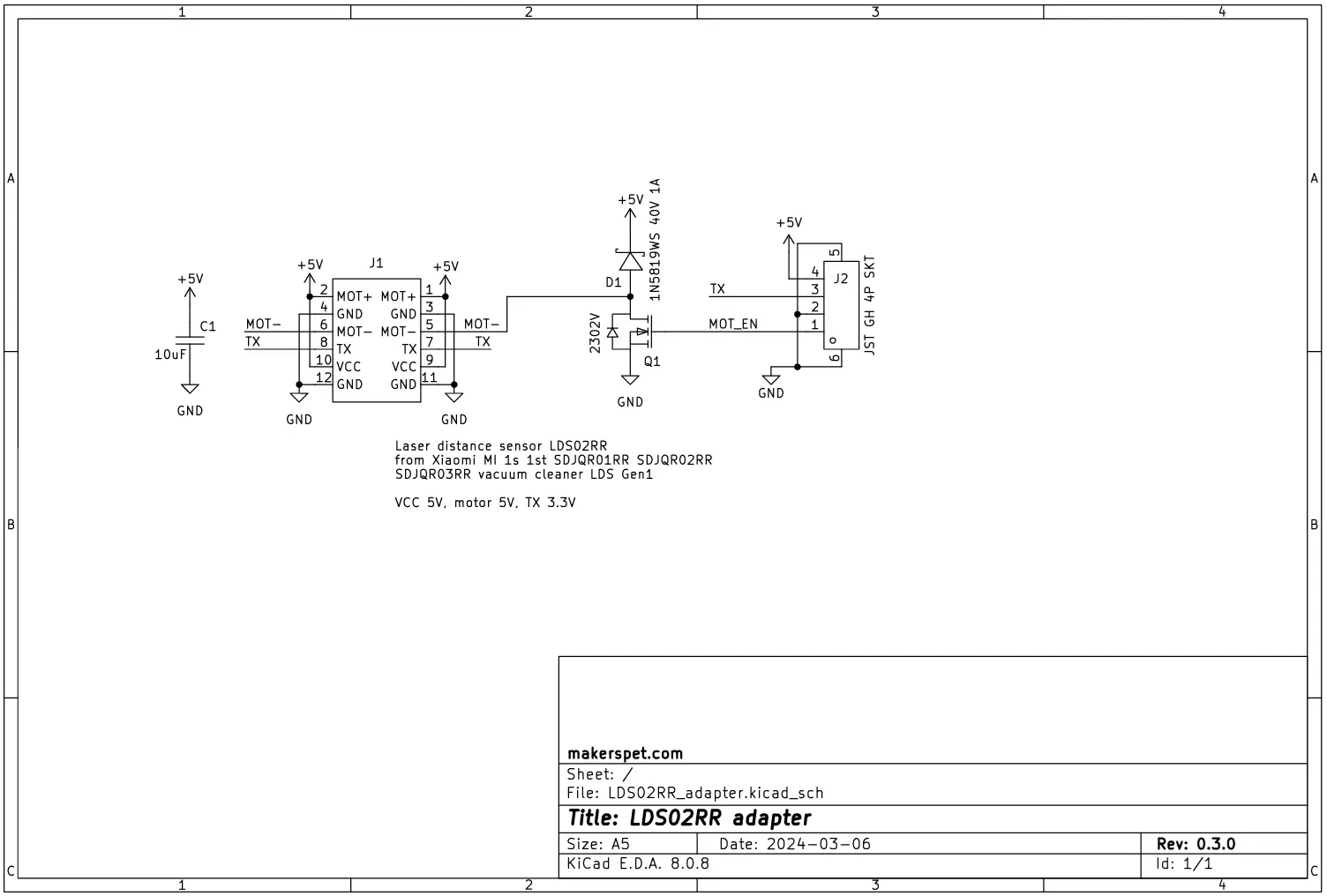
Both the adapter and firmware are open source.
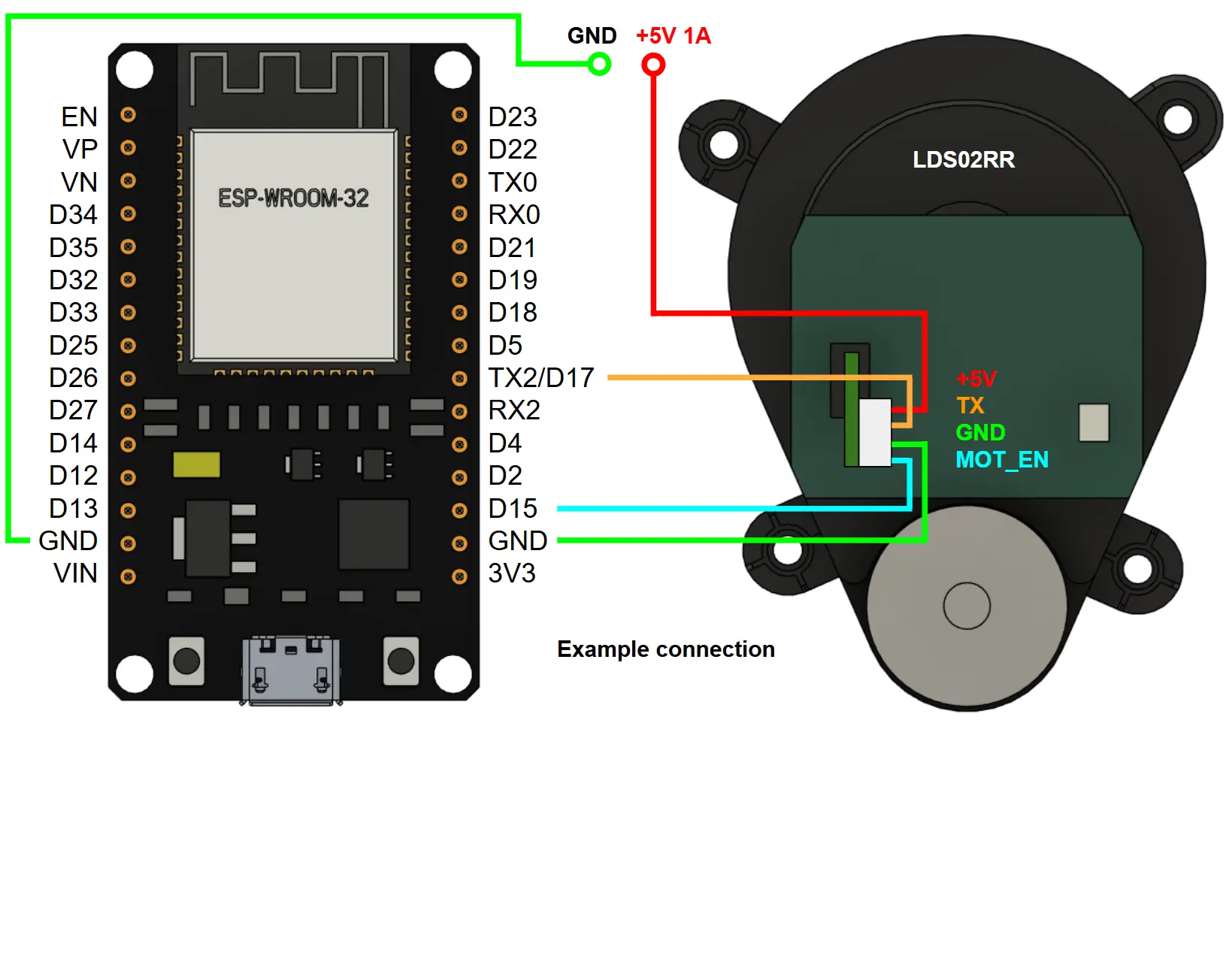
Here is how you can connect a LDS02RR Lidar to a 30-pin ESP32 development board using the v0.3 adapter.
Get new tutorials by email
Why design and manufacture an adapter – and write firmware – for a LDS02RR Lidar? The reason is that LDS02RR is very inexpensive. I purchased my LDS02RR off AliExpress for around $15 including shipping to California.
Why LDS02RR is so inexpensive? I believe this is because LDS02RR is taken from used Xiaomi vacuum cleaners, “for parts”. That said, if you choose to buy a used Lidar for yourself, make sure your LiDAR unit is not defective and safe to operate.
Here are step-by-step instructions to make LDS02RR stream the distance data live using Arduino and ESP32.

How LiDARs are used in self-driving robots?
Build a real LiDAR self-driving Arduino/ROS2 robot using our kit - with complete step-by-step instructions. No robotics experience necessary.
See the full robot kit →Besides displaying live distance data in Arduino IDE, I have also forwarded the distance data to ROS/ROS2 for visualization, SLAM, mapping and automatic navigation (Nav2) using Kaia.ai ROS2-compatible software and Kaia.ai Arduino-compatible firmware.
Here is a demo of LDS02RR streaming distance data live to ROS2 Rviz viewer using an older version of the adapter PCB and Kaia.ai ROS2/Arduino software suite.

Happy DIY robotics!
Tutorial por favor. Gracias
Here is a step-by-step tutorial
Connect Xiaomi LDS02RR LiDAR to Raspberry Pi (Python)
Hello. You connected the LidarTX to TX2 ??? OR RX ?
Hello, GPIOs are assigned in code. TX must always connect to RX logically, but physically ESP32 often allows configuring same GPIO as TX or RX. Please see code examples here https://github.com/kaiaai/LDS/tree/main/examples
if i connected my lidar pins direct without adapter it will work or not ? because the pin connections not same your lidar connection but same output pins .
You have to assign GPIOs correctly in your firmware source code. Please see code examples here https://github.com/kaiaai/LDS/tree/main/examples .