Write Your First OOMWOO ROS 2 Package: Cover the Floor While Mapping

This is the “hello world” of developing for OOMWOO. It’s deliberately simple — a reactive “drive forward, turn when blocked” coverage that, combined with SLAM, maps and roughly covers a room. Proper boustrophedon coverage is the clean-and-map RFC; this teaches you the mechanics of writing and launching an OOMWOO node.
More tutorials in this series – OOMWOO software development environment setup & simulation.
Prerequisites
The dev environment from the setup & simulation tutorial (the makerspet/oomwoo:jazzy-dev container running, with kaia config robot.model oomwoo_one set). Everything below runs inside the container.
1. Create a ROS 2 package
mkdir -p ~/ros2_ws/src && cd ~/ros2_ws/src
ros2 pkg create --build-type ament_python my_coverage --dependencies rclpy sensor_msgs geometry_msgs
2. Write the coverage node
Create ~/ros2_ws/src/my_coverage/my_coverage/coverage_node.py:
import math
import rclpy
from rclpy.node import Node
from sensor_msgs.msg import LaserScan
from geometry_msgs.msg import Twist


class Coverage(Node):
    """Drive forward; when the path ahead is blocked, turn until it clears.
    Combined with SLAM, this bounces around a room and maps it."""

    def __init__(self):
        super().__init__('coverage')
        self.pub = self.create_publisher(Twist, 'cmd_vel', 10)
        self.create_subscription(LaserScan, 'scan', self.on_scan, 10)
        self.clear = True
        self.turn_dir = 1.0
        self.create_timer(0.1, self.tick)   # 10 Hz control loop

    def on_scan(self, msg):
        n = len(msg.ranges)
        if n == 0:
            return
        # Check the forward +/- 25 deg sector (forward = scan index 0 for this LiDAR;
        # adjust 'center' if your scan's zero points elsewhere).
        sector = int(math.radians(25) / msg.angle_increment)
        idxs = [(i) % n for i in range(-sector, sector + 1)]
        fwd = [msg.ranges[i] for i in idxs
               if msg.range_min < msg.ranges[i] < msg.range_max]
        was_clear = self.clear
        self.clear = (min(fwd) > 0.35) if fwd else True
        if was_clear and not self.clear:
            self.turn_dir *= -1.0        # alternate turn direction each time we hit something

    def tick(self):
        cmd = Twist()
        if self.clear:
            cmd.linear.x = 0.20          # m/s forward
        else:
            cmd.angular.z = 0.8 * self.turn_dir   # rad/s turn until clear
        self.pub.publish(cmd)


def main():
    rclpy.init()
    node = Coverage()
    try:
        rclpy.spin(node)
    except KeyboardInterrupt:
        pass
    node.destroy_node()
    rclpy.shutdown()


if __name__ == '__main__':
    main()
3. Register the node
In ~/ros2_ws/src/my_coverage/setup.py, add the console script:
    entry_points={
        'console_scripts': [
            'coverage = my_coverage.coverage_node:main',
        ],
    },
4. Add a launch file (sim + SLAM + your node, in one command)
Create ~/ros2_ws/src/my_coverage/launch/coverage.launch.py:
import os
from launch import LaunchDescription
from launch.actions import IncludeLaunchDescription, TimerAction
from launch.launch_description_sources import PythonLaunchDescriptionSource
from launch_ros.actions import Node
from ament_index_python.packages import get_package_share_directory


def generate_launch_description():
    gazebo = IncludeLaunchDescription(PythonLaunchDescriptionSource(
        os.path.join(get_package_share_directory('oomwoo_gazebo'),
                     'launch', 'world.launch.py')))

    nav = IncludeLaunchDescription(
        PythonLaunchDescriptionSource(
            os.path.join(get_package_share_directory('oomwoo_bringup'),
                         'launch', 'navigation.launch.py')),
        launch_arguments={'use_sim_time': 'true', 'slam': 'True'}.items())

    coverage = Node(package='my_coverage', executable='coverage',
                    name='coverage', parameters=[{'use_sim_time': True}])

    # give Gazebo + SLAM ~12 s to come up before the robot starts moving
    return LaunchDescription([gazebo, nav, TimerAction(period=12.0, actions=[coverage])])
Reference the launch folder in setup.py data_files so it installs:
(os.path.join('share', package_name, 'launch'), glob('launch/*.launch.py')),(add import os and from glob import glob at the top of setup.py).
5. Build and run
cd ~/ros2_ws
colcon build --packages-select my_coverage
source install/setup.bash
ros2 launch my_coverage coverage.launch.py
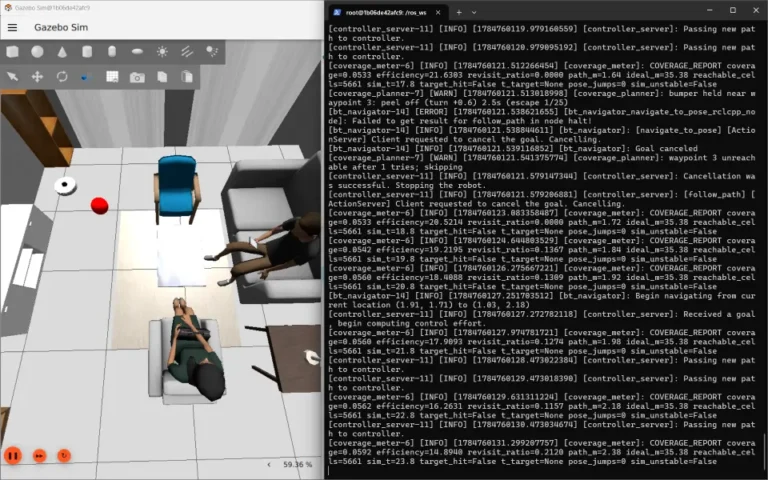
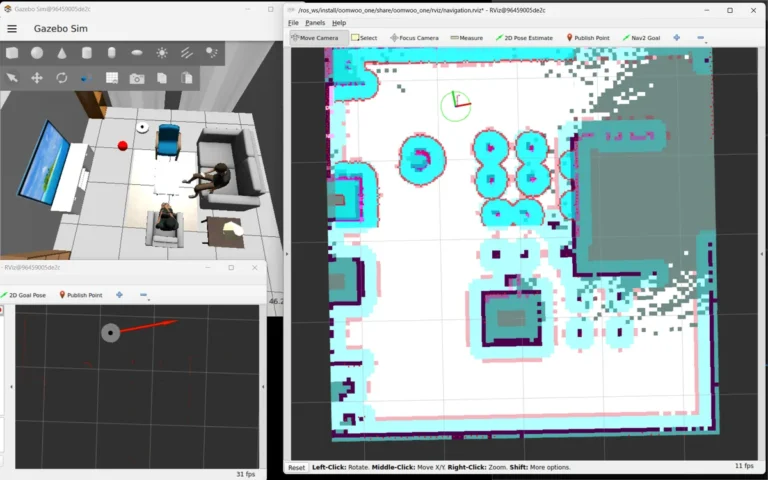
Gazebo and RViz open, SLAM starts, and after ~12 s oomwoo-one begins driving itself — forward until it’s blocked, then turning — while the map fills in. Open RViz (ros2 launch oomwoo_bringup monitor_robot.launch.py use_sim_time:=true in another shell) to watch the map grow.
Follow OOMWOO build
Open-source robot vacuum community build updates
6. Save the map
ros2 run nav2_map_server map_saver_cli -f ~/maps/mapWhat you just learned
- created a ROS 2 package, wrote a node that subscribes to
/scanand publishes/cmd_vel, - combined your code + SLAM in a single
ros2 launch, - produced a real map from an autonomous run.
That’s the whole loop of developing for oomwoo. From here, the natural next step is real coverage path planning (boustrophedon, wall-following, frontier exploration) — which is exactly the clean-and-map RFC. Pick it up (or another module) from the Requests for Contributions, and come build with us on Discord.