Tutorial: Control the LDROBOT LD14P LiDAR Motor on Raspberry Pi (Python)
Part 2: stop, start and set the scan speed of the LDROBOT LD14P LiDAR from Python on a Raspberry Pi 5, over UART.

This is Part 2 of our LDROBOT LD14P on Raspberry Pi series. Part 1 covered wiring the LiDAR and reading live distance data in Python. Here we go the other way: sending commands to the LiDAR to stop the motor, start it again, and set the scan speed.
All functionality in this article is now available as a Python
lds2dlibrary.
Tested: stop, start, status, and speed all verified on a Raspberry Pi 5 over the GPIO serial port. Bug reports welcome on our support forum.
Why control the motor?
By default the LD14P spins and streams the moment it gets power. That’s fine while you’re scanning, but there are good reasons to take control:
- Save power and noise — stop the motor when your robot is idle instead of spinning around the clock.
- Reduce wear — the bearing and motor last longer when they are not always running.
- Tune the scan rate — trade update speed for angular resolution by setting 2–8 Hz.
- Clean startup and shutdown — spin up only when your software is ready to read.
What changed from Part 1: one extra wire
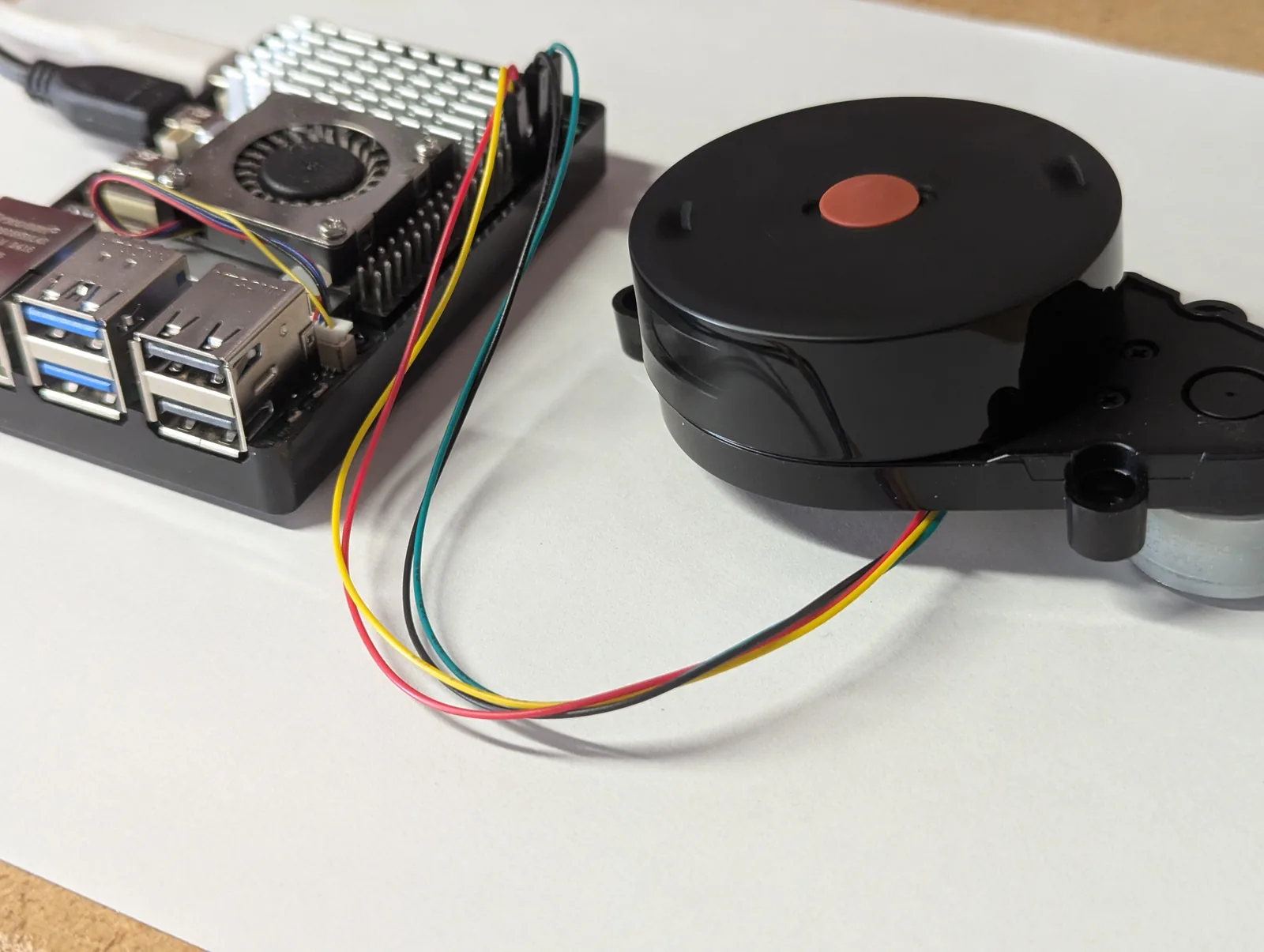
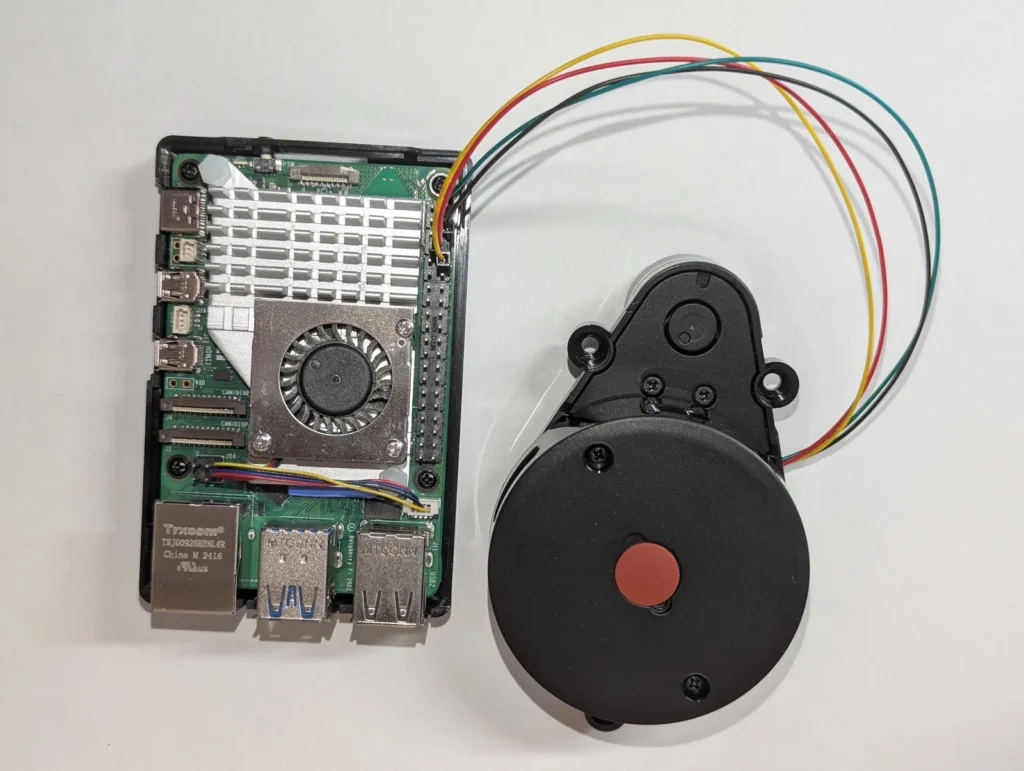
Reading data only used the LiDAR’s TX line (the LiDAR talks, the Pi listens). To send commands, the Pi has to talk back — so its TX pin must reach the LiDAR’s RX. In Part 1 we left the LiDAR RX disconnected; now add one jumper:
| LD14P cable | Pi 5 GPIO | Board pin |
|---|---|---|
| RX (new wire) | GPIO 14 (TXD) | pin 8 |
| TX | GPIO 15 (RXD) | pin 10 |
| 5V | 5 V | pin 2 or 4 |
| GND | GND | pin 6 |
Everything else stays exactly as in Part 1 — same 230400 baud, same /dev/serial0, same one-time Pi setup. If you have not done the Pi 5 serial setup yet, work through Part 1 first; without it the port will not exist.
How LD14P motor commands work
Some LiDARs control motor speed with a separate PWM pin. The LD14P is different: it takes command frames over the same UART it streams data on. Each command is 8 bytes:
| Bytes | Field |
|---|---|
| 1 | Header 0x54 |
| 1 | Command — 0xA0 start, 0xA1 stop, 0xA2 set speed |
| 1 | Payload length 0x04 |
| 4 | Payload (for set-speed: scan rate in deg/sec, little-endian, in the first 2 bytes) |
| 1 | CRC-8 over the first 7 bytes (same poly-0x4D table as the data packets) |
So the three commands work out to these exact bytes:
Start motor   : 54 A0 04 00 00 00 00 5E
Stop motor    : 54 A1 04 00 00 00 00 4A
Set 6 Hz      : 54 A2 04 70 08 00 00 A1   (0x0870 = 2160 deg/sec = 6 Hz)
Scan speed is valid from 2 to 8 Hz (deg/sec = Hz × 360). These command bytes and the CRC are derived from the open-source kaiaai/LDS library, which drives the same LiDAR family on microcontrollers.
Get new tutorials by email
The Python script
Save this as ld14p_motor.py, or grab it from the kaiaai/rpi5_ldrobot_ld14p repo alongside the Part 1 reader:
#!/usr/bin/env python3
"""LDROBOT LD14P 2D LiDAR - motor control over UART.

Stop, start, or set the scan speed of an LD14P by sending it command frames
on the serial port. Commands and CRC verified against the kaiaai/LDS library.

WIRING: sending commands needs the Pi's TX wired to the LiDAR's RX.
  LD14P RX  <-  Pi GPIO14 / TXD  (physical pin 8)
This is IN ADDITION to the read wiring (LD14P TX -> Pi GPIO15/RXD, pin 10).

Usage:
  python3 ld14p_motor.py stop            # stop the motor (data stream halts)
  python3 ld14p_motor.py start           # start / resume spinning
  python3 ld14p_motor.py speed 6         # set scan rate to 6 Hz (valid 2-8)
  python3 ld14p_motor.py status          # report current scan rate, or "stopped"
  python3 ld14p_motor.py stop --port /dev/ttyAMA0 --baud 230400
"""

import sys
import time
import struct
import argparse
import serial

DEFAULT_PORT = "/dev/serial0"
DEFAULT_BAUD = 230400
PACKET_HEADER = 0x54
PACKET_VER_LEN = 0x2C

CMD_START = 0xA0
CMD_STOP = 0xA1
CMD_SET_SPEED = 0xA2

# CRC-8 table (poly 0x4D), shared by the data packets and the command frames.
CRC_TABLE = bytes([
    0x00, 0x4d, 0x9a, 0xd7, 0x79, 0x34, 0xe3, 0xae, 0xf2, 0xbf, 0x68, 0x25,
    0x8b, 0xc6, 0x11, 0x5c, 0xa9, 0xe4, 0x33, 0x7e, 0xd0, 0x9d, 0x4a, 0x07,
    0x5b, 0x16, 0xc1, 0x8c, 0x22, 0x6f, 0xb8, 0xf5, 0x1f, 0x52, 0x85, 0xc8,
    0x66, 0x2b, 0xfc, 0xb1, 0xed, 0xa0, 0x77, 0x3a, 0x94, 0xd9, 0x0e, 0x43,
    0xb6, 0xfb, 0x2c, 0x61, 0xcf, 0x82, 0x55, 0x18, 0x44, 0x09, 0xde, 0x93,
    0x3d, 0x70, 0xa7, 0xea, 0x3e, 0x73, 0xa4, 0xe9, 0x47, 0x0a, 0xdd, 0x90,
    0xcc, 0x81, 0x56, 0x1b, 0xb5, 0xf8, 0x2f, 0x62, 0x97, 0xda, 0x0d, 0x40,
    0xee, 0xa3, 0x74, 0x39, 0x65, 0x28, 0xff, 0xb2, 0x1c, 0x51, 0x86, 0xcb,
    0x21, 0x6c, 0xbb, 0xf6, 0x58, 0x15, 0xc2, 0x8f, 0xd3, 0x9e, 0x49, 0x04,
    0xaa, 0xe7, 0x30, 0x7d, 0x88, 0xc5, 0x12, 0x5f, 0xf1, 0xbc, 0x6b, 0x26,
    0x7a, 0x37, 0xe0, 0xad, 0x03, 0x4e, 0x99, 0xd4, 0x7c, 0x31, 0xe6, 0xab,
    0x05, 0x48, 0x9f, 0xd2, 0x8e, 0xc3, 0x14, 0x59, 0xf7, 0xba, 0x6d, 0x20,
    0xd5, 0x98, 0x4f, 0x02, 0xac, 0xe1, 0x36, 0x7b, 0x27, 0x6a, 0xbd, 0xf0,
    0x5e, 0x13, 0xc4, 0x89, 0x63, 0x2e, 0xf9, 0xb4, 0x1a, 0x57, 0x80, 0xcd,
    0x91, 0xdc, 0x0b, 0x46, 0xe8, 0xa5, 0x72, 0x3f, 0xca, 0x87, 0x50, 0x1d,
    0xb3, 0xfe, 0x29, 0x64, 0x38, 0x75, 0xa2, 0xef, 0x41, 0x0c, 0xdb, 0x96,
    0x42, 0x0f, 0xd8, 0x95, 0x3b, 0x76, 0xa1, 0xec, 0xb0, 0xfd, 0x2a, 0x67,
    0xc9, 0x84, 0x53, 0x1e, 0xeb, 0xa6, 0x71, 0x3c, 0x92, 0xdf, 0x08, 0x45,
    0x19, 0x54, 0x83, 0xce, 0x60, 0x2d, 0xfa, 0xb7, 0x5d, 0x10, 0xc7, 0x8a,
    0x24, 0x69, 0xbe, 0xf3, 0xaf, 0xe2, 0x35, 0x78, 0xd6, 0x9b, 0x4c, 0x01,
    0xf4, 0xb9, 0x6e, 0x23, 0x8d, 0xc0, 0x17, 0x5a, 0x06, 0x4b, 0x9c, 0xd1,
    0x7f, 0x32, 0xe5, 0xa8,
])


def crc8(data):
    crc = 0
    for b in data:
        crc = CRC_TABLE[(crc ^ b) & 0xFF]
    return crc


def build_command(cmd, payload=b"\x00\x00\x00\x00"):
    """Frame: 0x54 | cmd | 0x04 | 4 payload bytes | CRC-8 over the first 7."""
    payload = (payload + b"\x00\x00\x00\x00")[:4]
    body = bytes([PACKET_HEADER, cmd, 0x04]) + payload
    return body + bytes([crc8(body)])


def measure_scan_hz(ser, listen_s=1.0):
    """Read for a moment; return the scan rate in Hz, or None if no data."""
    deadline = time.time() + listen_s
    buf = bytearray()
    while time.time() < deadline:
        chunk = ser.read(256)
        if not chunk:
            continue
        buf.extend(chunk)
        i = 0
        while i + 4 <= len(buf):
            if buf[i] == PACKET_HEADER and buf[i + 1] == PACKET_VER_LEN:
                deg_per_sec = struct.unpack_from("<H", buf, i + 2)[0]
                if 0 < deg_per_sec < 36000:        # sanity: < 100 Hz
                    return deg_per_sec / 360.0
            i += 1
        del buf[:-1]                                # keep last byte for boundary
    return None


def main():
    ap = argparse.ArgumentParser(description="LD14P motor control over UART")
    ap.add_argument("action", choices=["stop", "start", "speed", "status"])
    ap.add_argument("hz", nargs="?", type=float,
                    help="target scan rate in Hz (2-8), only for 'speed'")
    ap.add_argument("--port", default=DEFAULT_PORT)
    ap.add_argument("--baud", type=int, default=DEFAULT_BAUD)
    args = ap.parse_args()

    with serial.Serial(args.port, args.baud, timeout=0.2) as ser:
        if args.action == "status":
            hz = measure_scan_hz(ser, 1.0)
            print(f"Spinning at {hz:.2f} Hz" if hz else "No data - motor appears stopped.")
            return

        if args.action == "stop":
            ser.write(build_command(CMD_STOP))
            ser.flush()
            time.sleep(1.5)
            ser.reset_input_buffer()
            hz = measure_scan_hz(ser, 1.0)
            print("Stopped." if hz is None else f"Still spinning at {hz:.2f} Hz - retry?")
            return

        if args.action == "start":
            ser.write(build_command(CMD_START))
            ser.flush()
            time.sleep(1.0)
            hz = measure_scan_hz(ser, 1.5)
            print(f"Started - spinning at {hz:.2f} Hz." if hz else
                  "Sent start, but no data yet. Check the pin-8 (Pi TX -> LiDAR RX) wire.")
            return

        if args.action == "speed":
            if args.hz is None:
                ap.error("'speed' needs a value, e.g. 'speed 6'")
            if not (2.0 <= args.hz <= 8.0):
                ap.error("scan rate must be between 2 and 8 Hz")
            deg_per_sec = int(round(args.hz * 360))
            ser.write(build_command(CMD_SET_SPEED, struct.pack("<H", deg_per_sec)))
            ser.flush()
            time.sleep(0.8)
            hz = measure_scan_hz(ser, 1.5)
            print(f"Set {args.hz:.1f} Hz - now reading {hz:.2f} Hz." if hz else
                  f"Sent {args.hz:.1f} Hz, but no data yet (is the motor started?).")


if __name__ == "__main__":
main()Run it
# Is it spinning? Reports the current scan rate, or "stopped"
python3 ld14p_motor.py status

# Stop the motor — the data stream halts
python3 ld14p_motor.py stop

# Start / resume spinning
python3 ld14p_motor.py start

# Set the scan rate to 4 Hz (valid 2–8)
python3 ld14p_motor.py speed 4
A typical session looks like this:
$ python3 ld14p_motor.py status
Spinning at 5.97 Hz
$ python3 ld14p_motor.py stop
Stopped.
$ python3 ld14p_motor.py start
Started - spinning at 5.97 Hz.
$ python3 ld14p_motor.py speed 4
Set 4.0 Hz - now reading 4.00 Hz.
The script sends the command, waits briefly for the motor to react, then reads the data stream back to confirm — so you get real feedback instead of firing blind. The motor needs roughly a second to spin down or up; the built-in delays (about 1.5 s after stop, 1 s after start) cover that. If your unit reacts more slowly, nudge those time.sleep() values up.
One thing to expect: a stopped motor produces no data, so the Part 1 reader (ld14p_pi.py) will just sit at “opening port” until you start the motor again. That is normal, not a hang.
How LiDARs are used in self-driving robots?
Build a real LiDAR self-driving Arduino/ROS2 robot using our kit - with complete step-by-step instructions. No robotics experience necessary.
See the full robot kit →Troubleshooting
Commands do nothing / the LiDAR keeps spinning:
- The pin 8 wire (Pi TX → LiDAR RX) is missing or loose. Reading works without it; commanding does not.
- TX and RX swapped. The Pi’s transmit (GPIO14, pin 8) goes to the LiDAR’s receive.
PermissionError or no port: same fixes as Part 1 — make sure you are in the dialout group and the serial console is off ttyAMA0. See the Part 1 setup section.
speed seems ignored: the motor has to be running first (start), and the rate must be 2–8 Hz. Outside that range the script refuses with an error.
Wrapping up
You can now read the LD14P (Part 1) and command its motor (this post) entirely from Python on a Raspberry Pi — no microcontroller in the middle. Both scripts live in the kaiaai/rpi5_ldrobot_ld14p repo. From here you could wire motor control into your robot’s power management, or stream the data into ROS 2. Happy mapping!