Maker’s Pet at the Dallas Personal Robotics Group: A Low-Cost ROS 2 Robot Kit
A concise summary of my March 2026 talk to the Dallas Personal Robotics Group on the Maker's Pet ROS 2 robot kit: hardware, software architecture, LiDAR notes, and the upcoming app platform.

On March 28, 2026, I had the pleasure of presenting the Maker’s Pet robot kit to the Dallas Personal Robotics Group (DPRG). What follows is a concise summary of the talk. The full recording is embedded below, and the slides are linked at the end.

What Maker’s Pet 120mm Robot Build Pack Is
Maker’s Pet 120mm robot build pack is a small, inexpensive differential-drive robot built around an ESP32 microcontroller and a 2D LiDAR. It runs ROS 2 out of the box and supports mapping (SLAM), navigation, and frontier exploration with no prior robotics knowledge required — a “zero-to-hero” tutorial series walks new users through every step.
The kit was inspired by TurtleBot 3 but designed to be dramatically more affordable. Two key cost-reduction decisions drove the design:
- No onboard SBC. Instead of a Raspberry Pi, all heavy compute (ROS 2, SLAM, navigation) runs on a local PC. The robot itself runs micro-ROS on an ESP32 over Wi-Fi.
- Commodity 2D LiDARs. Thanks to the proliferation of LiDAR-equipped Chinese robotic vacuums, capable 2D LiDAR units are now available very inexpensively on the secondary market.
Hardware
The robot has two custom PCBs (open source):
- ESP32 carrier board — based on the newer ESP-WROOM-32E module for cleaner Wi-Fi RF performance, with a DC-DC buck converter (rather than an LDO) to extend battery life.
- Motor driver board — uses Texas Instruments motor drivers with current limit and over-temperature protection. Two channels, selectable 12 V or 24 V supply (via a cuttable trace), 5 V rails for LiDAR and encoders, and an 8-pin header that supports 25+ LiDAR models in firmware.
Mechanical specs:
- ~12 cm diameter chassis, 43 mm wheels with a rubber traction ring
- 6× AA batteries (or 2× lithium cells)
- Small N20-class geared motors with encoders
A note on motor selection: I tested cheap 3 V / 6 V / 9 V motors and found them underpowered for ROS 2 mapping, where smooth low-speed motion is critical. 12 V motors of the same size performed reliably, so the kit standardizes on those.
Get new tutorials by email
Software Architecture
Robot (ESP32)             Wi-Fi (UDP)             Local PC
  micro-ROS         <---------------->        ROS 2 Jazzy
  Arduino firmware                              Cartographer / Nav2
  LiDAR data stream                             Gazebo simulation
- Firmware: Arduino-based, running micro-ROS. Arduino was chosen specifically to maximize community reach and lower the support burden.
- Transport: UDP over Wi-Fi. ROS 2 latency matters more than reliability for sensor streams, and UDP avoids the head-of-line blocking that TCP can introduce on a busy or weak Wi-Fi link. The kit pushes raw LiDAR data over micro-ROS — heavier than the typical command/sensor exchange micro-ROS was designed for, but it works well in practice.
- ROS 2: Currently on Jazzy (was Humble, then Iron). The Iron-to-Jazzy migration was non-trivial, particularly for Gazebo simulation, which had breaking changes.
- Containers: ROS 2 development uses Docker containers as recommended upstream — solves the version-pinning problem and lets users skip the dependency hell.
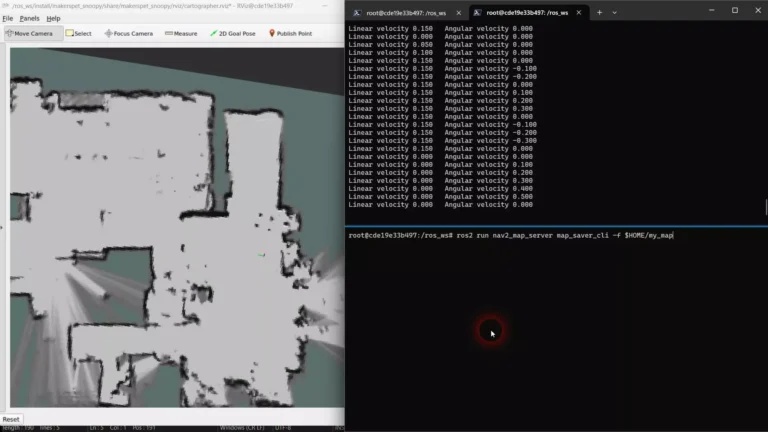
- Mapping/Nav: Google Cartographer, Nav2 SLAM, and frontier exploration all work out of the box. Cartographer remains the best open-source mapping option I’ve found.
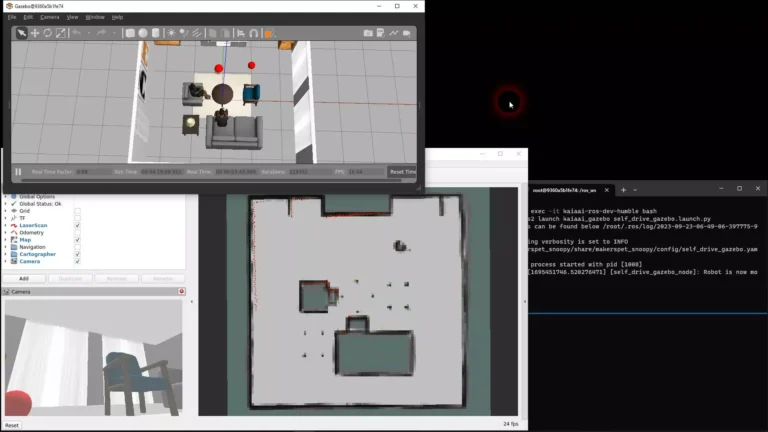
- Simulation: Gazebo simulation works on both Iron and Jazzy, including a pre-built scene with a red ball for upcoming play behaviors.
No IMU — On Purpose
TurtleBot 3 has an IMU; Maker’s Pet 120mm robot does not. Two reasons:
- Bandwidth/latency. Streaming high-rate IMU data over Wi-Fi adds risk of delays or drops.
- Necessity. Cartographer and modern SLAM stacks work just fine without an IMU when wheel odometry is solid. The rubber-ringed wheels give enough traction for reliable odometry, which is what Cartographer leans on.
LiDAR Notes
The kit supports 25+ LiDAR models — switching is a one-line config change in the firmware plus a launch argument on the PC side. A few practical observations from testing:
- First-generation triangulation LiDARs (e.g., older Neato XV-11-style units) still work fine, are cheap on the second-hand market, but are heavier, draw more power, and are more sensitive to bright ambient IR (sunlight, incandescent).
- Second-generation triangulation LiDARs are lighter, lower-power, and more immune to ambient light.
- Time-of-flight LiDARs are roughly comparable to second-generation triangulation units in performance and price.
- The kit ships with the LDRobot LD14P — chosen for its balance, reliability, and pricing parity with alternatives like YDLiDAR (which I found wobbled visibly on this small chassis).
The community-collected LiDAR specs table is open source and useful as a reference for anyone shopping.
Why “Pet”?
The roadmap is the more interesting part. Building the kit and running SLAM is fun, but it ends in a “now what?” moment. My goal is to give the robot something useful or entertaining to do — to act as a pet.
That requires two things:
- More capable hardware for real interaction (e.g., kicking a ball). I have a separate board design for brushless motors with bigger wheels in development.
- An app platform. A third-party app SDK and store, similar in spirit to Apple’s or Google’s app stores, where developers can publish behaviors that users can install and run on their robots — with safety guardrails baked in, since unlike phones, robots are physical and can collide with people and objects.
A concept video shown at the end of the talk demos kids racing the robot, hide-and-seek, and ball-tracking play. The platform SDK is open source, with a ROS 2 component and an active developer mailing list.
By the Numbers
- 8-video tutorial series for the kit
- ~2,000 YouTube subscribers
- ~100 GitHub support threads
- Shipped to 31 countries in the past year
Resources
- Slides (PDF): Download the DPRG talk slides
- YouTube recording: embedded at the top of this post
- Maker’s Pet GitHub org: github.com/makerspet
Thanks to Pat and the DPRG members for the warm welcome and the great Q&A — particularly the deep dive on Neato XV-11, RPLiDAR generations, and ESP32-S3 / Arduino Nano compatibility (yes, the firmware supports ESP32-S3 with a one-file config switch).